
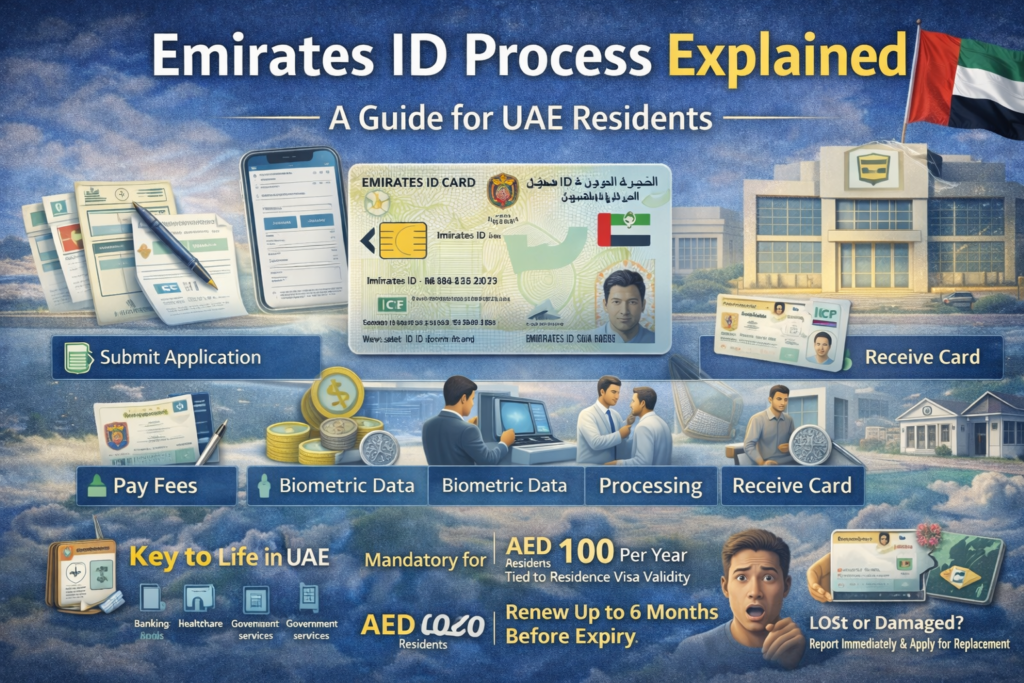
If you live in the United Arab Emirates, your Emirates ID is the single most important identification document you will carry. It is not just an ID card — it is your gateway to banking, healthcare, immigration clearance, government services, and daily transactions across the country.
Whether you are applying for the first time, renewing an existing card, or replacing a lost one, understanding the full process ensures a smooth experience. This guide explains the Emirates ID process step by step, including application, biometrics, fees, renewal, replacement, and common issues.
What Is an Emirates ID?
The Emirates ID is a mandatory identification card issued by the
Federal Authority for Identity, Citizenship, Customs & Port Security (ICP).
It serves as:
- Official proof of identity in the UAE
- Mandatory ID for all citizens and residents
- A smart card containing biometric data and encrypted personal information
For expatriates, the Emirates ID validity is linked to the residence visa (typically 1–3 years).
For UAE nationals, the card is usually valid for 10 years.
Why Is the Emirates ID Important?
The Emirates ID is required for:
- Accessing government services
- Opening bank accounts
- Signing contracts and legal documents
- Registering utilities
- Accessing healthcare services
- Airport smart gate access
- Voting (for UAE nationals)
Without a valid Emirates ID, you cannot legally complete most official transactions in the UAE.
Who Needs an Emirates ID?
The Emirates ID is mandatory for:
- UAE citizens
- Expatriate residents with a valid residence visa
- Newborn babies (must be registered within 120 days)
- GCC nationals residing or working in the UAE
Tourists and short-term visitors are exempt.
Emirates ID Process Explained: Step-by-Step
Stage 1: Determine Application Type
Your process depends on your situation:
| Application Type | When It Applies |
|---|---|
| New Registration | First-time residents, newborns |
| Renewal | Card nearing expiry |
| Replacement | Lost, stolen, damaged, or updated details |
Stage 2: Submit Your Application
Applications can be submitted through:
- Employer’s PRO (for employment visas)
- Sponsor (for family dependents)
- ICP Smart Services portal
- Approved typing centers
- ICP customer service centers
Information Required:
- Full name (as per passport)
- Passport details
- Residence visa details
- Contact information
- Employer and profession details
Stage 3: Pay the Required Fees
Fees depend on validity and processing type.
Standard Fee Structure:
| Fee Component | Amount (AED) |
|---|---|
| Application Fee | 100 per year |
| Issuance Fee | 100 per year |
| Smart Services Fee | 50 |
| Typing Center Fee | 50–150 |
| Delivery Fee | 50 |
Typical Total Costs:
- 1-year card: AED 300–400
- 2-year card: AED 400–570
- 3-year card: AED 500–700
Certain categories (senior citizens, people of determination, pensioners) may qualify for reduced or waived fees.
Stage 4: Biometric Registration
Biometrics are mandatory for:
- First-time applicants
- Some renewals
- Replacement cases
Biometric Data Collected:
- Fingerprints (all ten fingers)
- Iris/retina scan
- Facial photograph
What to Bring:
- Original passport
- Residence visa copy
- Application reference number
- Fee payment receipt
Children under 15 are generally exempt from fingerprinting.
The biometric appointment typically takes 10–15 minutes.
Stage 5: Processing
Once biometrics are completed, the ICP verifies and prints your card.
Processing Times:
- Standard: 5–10 working days
- Express: 24–48 hours
- Replacement: 2–5 working days
Delays may occur due to incorrect information or incomplete documentation.
Stage 6: Card Delivery
Once ready, you receive an SMS notification.
Collection methods:
- Courier delivery (most common)
- ICP customer service center
- Selected Emirates Post branches
Always verify printed information before accepting the card.
Emirates ID Renewal Process
You can renew your Emirates ID up to 6 months before expiry.
Renewal Steps:
- Submit renewal application
- Pay applicable fees
- Update biometrics (if required)
- Receive new card
Required Documents:
- Passport (valid)
- Existing Emirates ID
- Recent photograph
- Valid residence visa
Late renewal may result in fines.
Replacing a Lost or Damaged Emirates ID
If your card is lost or stolen:
Steps:
- Report loss to police (if stolen)
- Apply for replacement via ICP
- Pay replacement fees
- Provide biometrics if required
Replacement Fee:
Approximately AED 300 plus service charges.
The replacement card typically retains the original expiry date.
Emirates ID for Newborns and Children
Children must be registered within 120 days of birth.
Required Documents:
- Child’s passport
- Birth certificate
- Parents’ Emirates IDs
- Child’s residence visa
Children under 15 are exempt from fingerprint biometrics.
Emirates ID for GCC Nationals
GCC residents working or residing in the UAE must obtain an Emirates ID.
Benefits include:
- Smart gate access
- Government service access
- Official identification
Digital Emirates ID (UAE Pass)
The UAE Pass app allows residents to:
- Access thousands of services online
- Digitally sign documents
- Use digital identity verification
- Carry a digital version of the Emirates ID
While digital ID is convenient, the physical card remains essential.
How to Check Emirates ID Status
You can track your application through:
- ICP Smart Services website
- ICP mobile app
- Customer service centers
- SMS notifications
You can check:
- Application status
- Validity
- Expiry date
- Delivery tracking
Common Issues & Solutions
Incorrect Information
Contact ICP immediately with supporting documents.
Delayed Processing
Verify biometric completion and visa validity.
Failed Biometrics
Reschedule appointment if fingerprints could not be captured properly.
Lost Card During Delivery
Contact courier and notify ICP for replacement.
Emirates ID & Visa Cancellation
When your residence visa is cancelled:
- The Emirates ID becomes electronically deactivated.
- It cannot be used for official transactions.
- The physical card remains but is invalid in the system.
Frequently Asked Questions
Do I need Emirates ID if I have a residence visa?
Yes. It is mandatory.
Can I travel using Emirates ID?
No. Passport is required for international travel.
What happens if my ID expires?
You cannot access services and may incur fines.
Is there a fine for late renewal?
Yes, late renewal penalties may apply.
Can I update my address?
Yes, through ICP services.
Do I need a new ID if I change jobs?
Yes, if your profession or visa status changes.
Key Takeaways
- Mandatory for all UAE residents
- Linked to residence visa validity
- Processing time: 5–10 working days
- Renewal allowed 6 months before expiry
- Digital alternative available via UAE Pass
- Report lost cards immediately
Final Thoughts
The Emirates ID is your legal identity in the UAE. From opening a bank account to accessing healthcare and passing through airport smart gates, it plays a central role in everyday life.
Understanding the Emirates ID process explained in this guide ensures you remain compliant with UAE regulations and avoid unnecessary delays or penalties.
For the latest updates, always refer to the official ICP website or visit an authorized typing center.